
Many Agents.One Window.
Run a team of Claude Code and Codex agents on your Mac. Hand them a project, watch the work take shape beside the chat, and step in when a question lands.
$99 Early adopter price
macOS 14 or later · Claude Code sign-in · Version 1.4.6, Nov 10, 2026
The team
Instead of five terminal tabs, an orchestrator that runs them all.
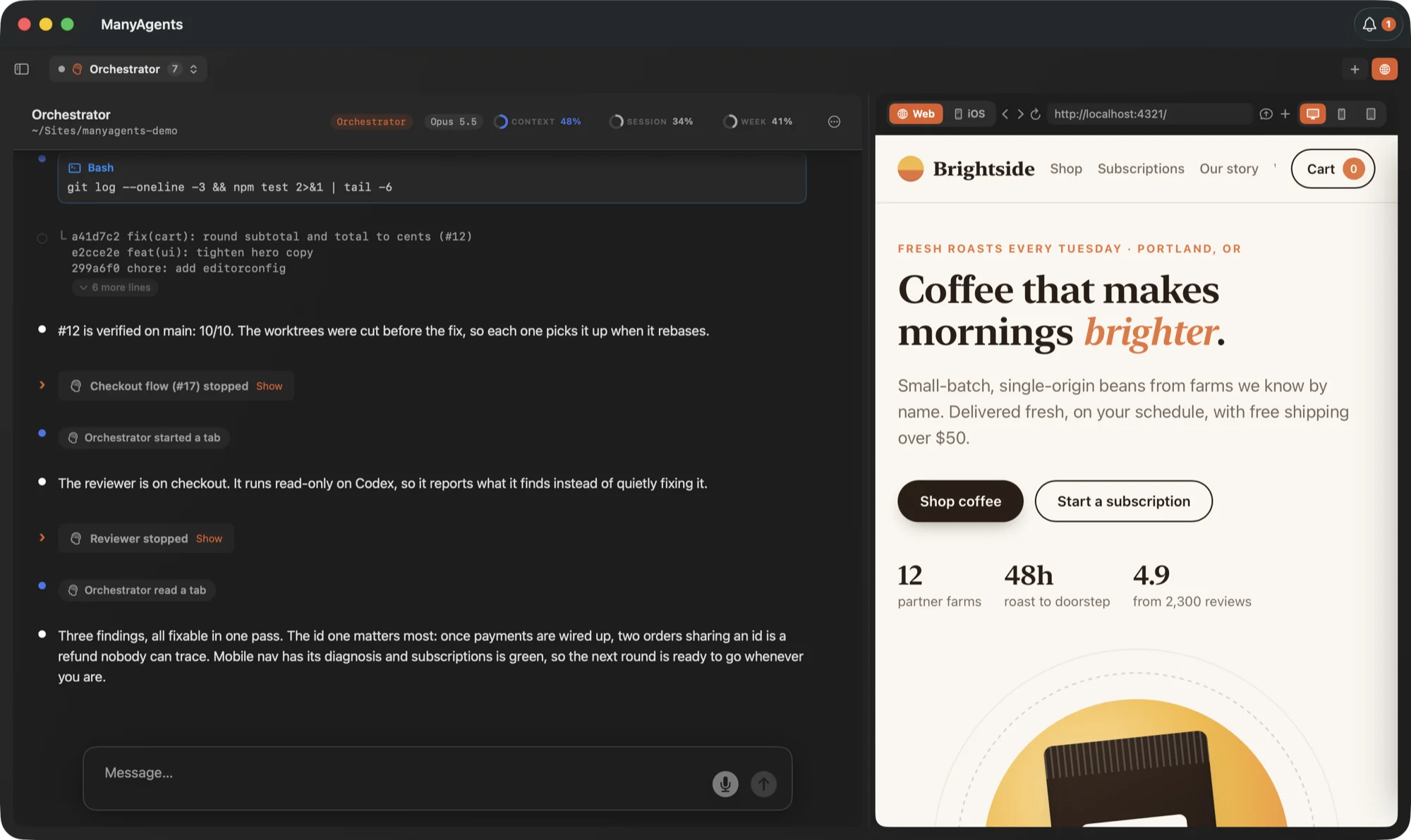
Tell the orchestrator what you want. It splits the request into tasks, opens a tab for each and keeps track of who is doing what. You talk to it, and it talks to the rest.
Worker
Builds one task in its own git worktree, tests it and reports back. The orchestrator merges finished branches one at a time and stops cleanly on a conflict.
Thinker
Takes the hard calls: a design decision, or a bug that beat two workers.
Reviewer
Reads finished work and reports. It cannot edit, and it runs on Codex when that is set up.
Built-in browser
Agents test it in the window, and you watch.
Your app runs in a browser beside the chat. Agents open it, click, fill forms and read the result. Ask for a run through checkout on a new account, or every page at phone width. It stays signed in to your sites, and you can take over with a click.
Needs you
Every question in one place, with a recommendation.
When an agent needs a decision, it lands here with what the agent would do. Click it to open the tab and answer, or mark it done.
iPhone
Answer from your phone.
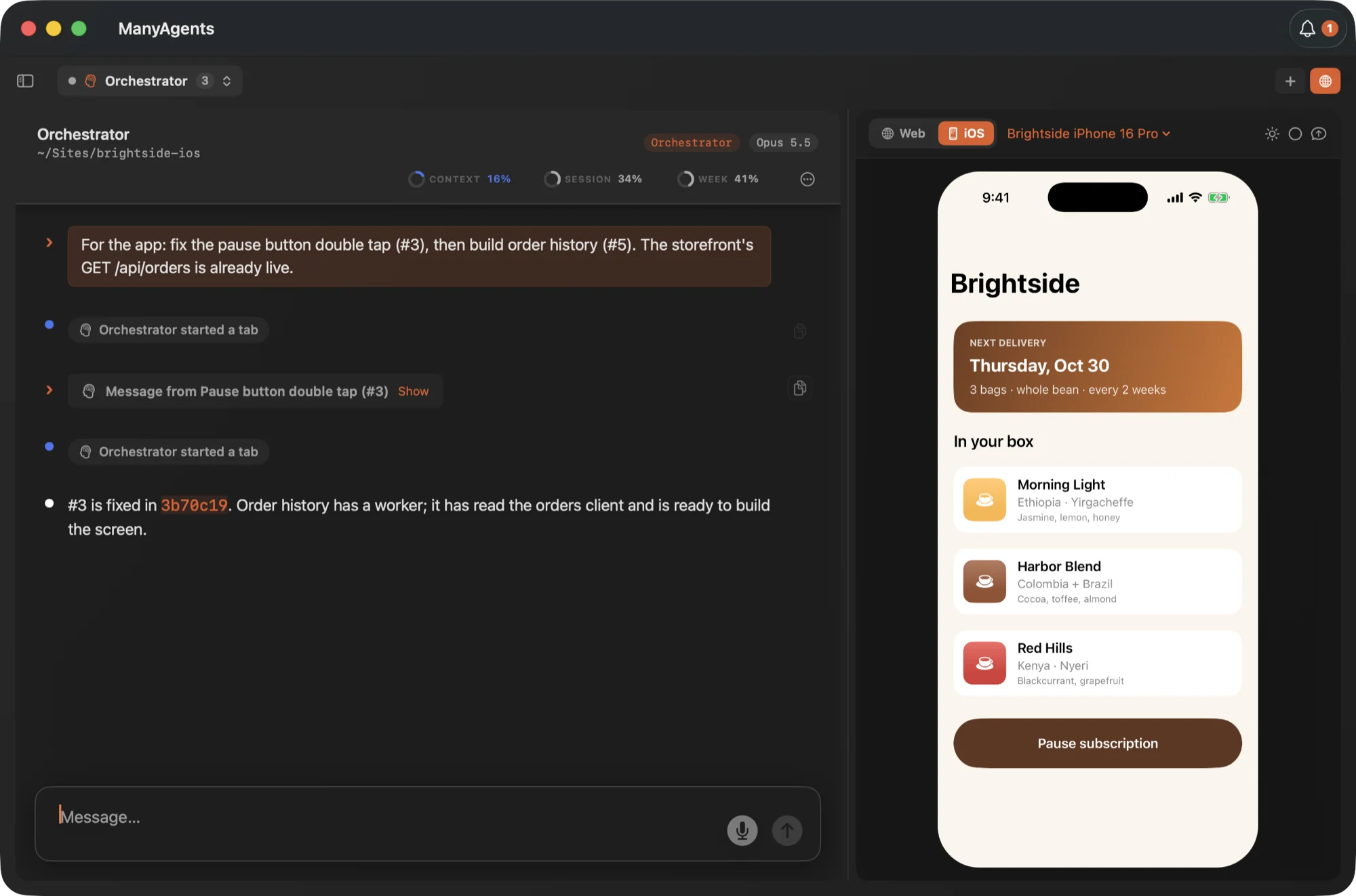
The iPhone app shows your projects and tabs, lets you answer questions and approve requests, and lets you message your agents. Your Mac keeps running them, so it stays awake and online.
Available through TestFlight. Request an invite.
iOS Simulator
Run the Simulator beside your agents.
Flip the panel to iOS and use the build live while the agent works on it. Agents can tap through it and read the screen too. Each project keeps its own simulator.
The method
How I run my own board.
ManyAgents is built around one loop: I make a request, a thinker decides, workers build and a reviewer checks, until the work is accepted. It's opinionated, and every part of it is optional.
Up and running in a few minutes.
Download and open
Your 14-day trial starts right away. No account, no card.
Sign in to Claude Code
The app walks you through it. Codex is optional.
Open a project
Tell the orchestrator what you want done.
- What do I need?
- A Mac on macOS 14 or later, and Claude Code signed in with a Claude Pro or Max subscription or an Anthropic API key. Codex is optional: with it, reviewers run on OpenAI models by default and any role can; without it, everything runs on Claude.
- Does it cost extra to run agents?
- ManyAgents uses the Claude and Codex access you already have, and shows how much of each limit is used. Your plan's limits and any API charges still apply.
- What happens after the trial?
- You can still read and export everything. Sending messages and launching agents pause until you add a license. A license is $49, one time, with 12 months of updates. See pricing.
- What happens after 12 months of updates?
- The version you have keeps working, and so does every version released during your 12 months. When updates end, Renew appears in the app and emails you a single-use code for 50% off the current price.
- Is my code sent anywhere?
- Agents run through Claude Code and Codex under your own accounts, so your prompts and code go to Anthropic or OpenAI the same way they would from the terminal. Nothing goes to us, and the app has no analytics. See the privacy policy.
Try it free for 14 days.
$99 Early adopter price
macOS 14 or later · Claude Code sign-in · Version 1.4.6, Nov 10, 2026